November 5, 2026
Shipping Label Printer Cost in 2026: Thermal vs Inkjet, Label Prices and Free Options
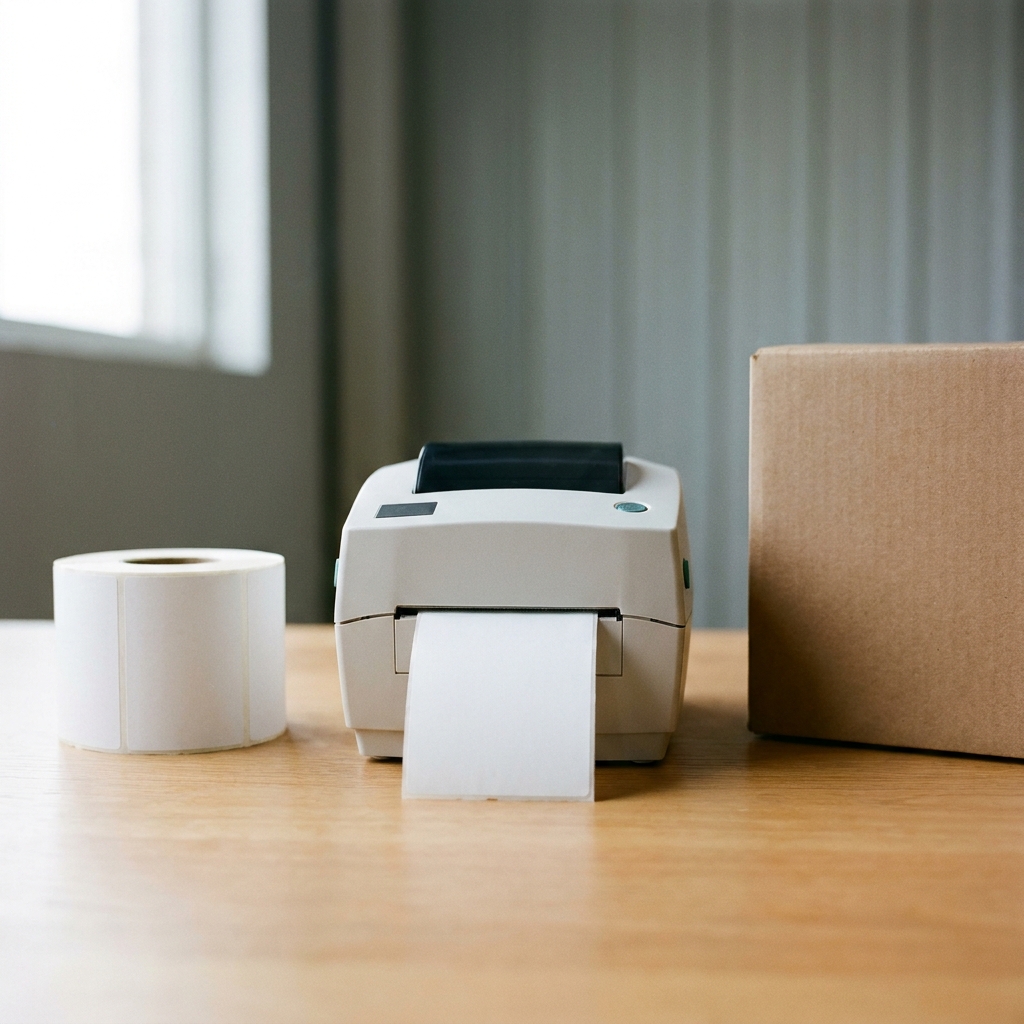
A 4x6 thermal shipping label printer cost $79.99 to $270.80 for common small-business models on November 5, 2026 (MUNBYN RW403B on sale at $79.99, Rollo USB $199.99, Brother QL-1100 $229.99, DYMO LabelWriter 5XL $270.80 at Staples), and a business-grade Zebra ZD421d was $612.99 at Staples. Thermal labels run about 4 cents each, compared with roughly 9 cents for a label printed on plain paper with toner and tape, and about 21 cents on half-sheet label stock.
Quick answer: You do not need a label printer to ship. USPS and UPS accept labels from a regular laser or inkjet printer. A thermal printer saves about 5 cents a label versus plain paper (and about 17 cents versus half-sheet labels), so a $79.99 printer pays for itself in about 16 months at 100 labels a month against plain paper, or in about 5 months against half-sheet labels. Above a few hundred labels a month, the time saved matters more than the label cost.
Prices below were checked on November 5, 2026 on the manufacturers' and retailers' own sites: Rollo, MUNBYN, Brother, Staples and Uline. Carrier rules come from USPS, UPS and FedEx. Several prices are holiday or limited-time sale prices, so check your cart before you buy.
Thermal label printer prices (4x6)
Almost every carrier and shipping platform prints a 4x6 inch label. A direct thermal printer prints it with heat, with no ink or toner, onto special heat-sensitive labels. These are the list or current prices on each seller's own page.
| Printer | Price (November 5, 2026) | Where | Notes |
|---|---|---|---|
| MUNBYN RW403B (Bluetooth/USB, 203 dpi) | $79.99 (regular $159.99) | us.munbyn.com | Sale price during MUNBYN's Black Friday early-access promotion |
| Rollo USB Label Printer (X1038) | $199.99 | rollo.com | Includes a free pack of 500 4x6 labels; listed on backorder |
| Rollo Wireless Label Printer | $279.99 | rollo.com | Wi-Fi model |
| Brother QL-1100 | $229.99 | brother-usa.com | Prints labels up to 4 inches wide; uses Brother DK rolls |
| DYMO LabelWriter 5XL | $270.80 | Staples | Staples notes it only works with authentic DYMO labels |
| Zebra ZD421d (ZD4A042-D01M00EZ, direct thermal) | $612.99 | Staples | Business/warehouse grade; out of stock when checked |
The cheaper printers are not lower quality for shipping. Rollo's spec page lists 203 dpi and calls it the industry standard resolution used by couriers, and the MUNBYN RW403B is also 203 dpi. What you pay more for is speed, durability, networking and, with DYMO and Brother, a closed label system.
Cost per label: thermal vs half-sheet vs plain paper
The printer is a one-time cost. The labels are what you pay forever, so compare cost per label.
| Label option | Pack price | Count | Per label |
|---|---|---|---|
| Uline fanfold direct thermal 4x6 (S-8376) | $152.00 | 4,000 | 3.8¢ |
| MUNBYN fan-fold direct thermal 4x6, white, 12 stacks | $229.99 (sale; regular $359.99) | 6,000 | 3.8¢ |
| Rollo 4x6 stack labels | $19.99 | 500 | 4.0¢ |
| MUNBYN fan-fold direct thermal 4x6, white, 1 stack | $22.99 (sale; regular $29.99) | 500 | 4.6¢ |
| DYMO 4x6 labels (2026404), 5 rolls | $102.49 | 1,100 | 9.3¢ |
| DYMO 4x6 labels (1744907), 1 roll | $41.99 | 220 | 19.1¢ |
| Brother DK-1241 4x6 labels | $47.99 | 200 | 24.0¢ |
| Avery half-sheet shipping labels (95930), laser/inkjet | $87.39 | 500 | 17.5¢ + toner |
| Avery TrueBlock half-sheet (8126), inkjet | $19.59 | 50 | 39¢ + ink |
| Plain copy paper (TRU RED ream, on sale from $9.89) | $7.59 | 500 sheets | 1.5¢ + toner + tape |
Sources: Uline, MUNBYN labels, Rollo labels, Staples DYMO labels, Brother DK-1241, Staples half-sheet labels, Staples copy paper. Shipping charges on label orders are extra unless the seller says otherwise (Rollo, for example, ships free on orders of $25 and up).
What a plain-paper label really costs
Paper is the cheap part. Toner and tape are most of the cost. Our estimate, with every assumption stated:
- Paper: 1.5¢. One sheet from a $7.59 ream of 500.
- Toner: 3.3¢. A Brother TN760 high-yield cartridge is $98.29 for about 3,000 pages. Brother's yield assumes normal page coverage, and a label with a large barcode can use more, so treat this as a floor. Inkjet ink usually costs more per page.
- Tape: 4.1¢. A 6-roll pack of 1.88-inch, 54.6-yard Staples packing tape is $15.99, or $2.66 a roll. We assumed about 2.5 feet of tape per label (four strips around the edges), which is about 65 labels per roll.
Total: about 8.9¢ per label. If you buy half-sheet labels instead, there is no tape, but the label stock plus toner is about 20.8¢, and more if you waste the second half of each sheet.
Break-even: when does a thermal printer pay for itself?
Assumptions: thermal labels cost 4.0¢ each (the Rollo 500-pack; bulk boxes are slightly cheaper). Plain paper costs 8.9¢ and half-sheet labels 20.8¢, as above. For the Rollo, we subtracted $20 for the 500 free labels in the box (500 × 4¢), for a net cost of $179.99. We ignored electricity, printer repairs, sales tax and the value of your time.
The formula: printer cost ÷ savings per label = labels to break even, then divide by your monthly label count. Example: $79.99 ÷ $0.049 = about 1,632 labels, which is about 16 months at 100 labels a month.
| Printer | Compared with | Savings per label | Labels to break even | 50/month | 100/month | 300/month |
|---|---|---|---|---|---|---|
| MUNBYN RW403B | plain paper + tape | 4.9¢ | 1,632 | 33 months | 16 months | 5.4 months |
| MUNBYN RW403B | half-sheet labels | 16.8¢ | 476 | 10 months | 5 months | 1.6 months |
| Rollo USB (net of 500 free labels) | plain paper + tape | 4.9¢ | 3,673 | 74 months | 37 months | 12.2 months |
| Rollo USB (net of 500 free labels) | half-sheet labels | 16.8¢ | 1,071 | 21 months | 11 months | 3.6 months |
What the numbers say:
- Under about 50 labels a month, plain paper and tape is hard to beat on cost. A thermal printer is a convenience purchase.
- If you buy half-sheet labels today, a budget thermal printer pays for itself in about 10 months (MUNBYN at its sale price) to 21 months (Rollo) at 50 labels a month, because half-sheet stock costs about five times as much per label.
- Above a few hundred labels a month, the bigger saving is time: no cutting, no taping, and one label per second (Rollo's stated speed) instead of feeding sheets.
- Closed label systems change the math. DYMO and Brother 4x6 labels cost 9.3¢ to 24¢ each in the listings above, so a DYMO or Brother printer saves little or nothing per label against plain paper. If cost is the goal, choose a printer that takes generic 4x6 direct thermal labels.
Free and low-cost options from the carriers
UPS
UPS's U.S. thermal printing page says label printers are available for purchase through the UPS Digital Connections Program for qualified customers (U.S. only), and that label printers can be rented by calling UPS Customer Service at 1-800-742-5877 (UPS thermal printing page). It does not say the printers are free or what makes a customer qualify, so ask your UPS account representative. Anyone with a UPS.com username can also order UPS supplies, which UPS says include boxes, forms, envelopes and labels, through ups.com Order Supplies. UPS's supplies policy says new customers get an initial allocation of free supplies, and ongoing eligibility depends on shipping activity and supplies usage.
FedEx
FedEx's U.S. supplies page says envelopes, paks, poly bags, boxes and tubes are complimentary when you use expedited FedEx services, and it does not mention printers (FedEx shipping supplies). We found no published FedEx free-printer program. High-volume shippers should ask their FedEx account executive.
USPS
USPS does not offer label printers. Its Click-N-Ship FAQ says all you need is a free USPS.com account, a computer and a standard printer, and if you have no printer, its Label Broker option lets you print Click-N-Ship labels at the Post Office (USPS Click-N-Ship FAQ). For other free carrier supplies, see our guide to free shipping boxes from USPS, UPS and FedEx.
Plain paper is allowed: carrier guidance
- USPS: The Click-N-Ship FAQ recommends a laser printer or a high-quality inkjet (600 dpi recommended) and self-adhesive labels, and says plain white paper is acceptable. It also says not to tape over the "Postal Use" area or cover barcodes, because tape makes it difficult for processing equipment to read the labels, and that labels should print at about 4x6 inches.
- UPS: UPS says ups.com (including CampusShip) works with most thermal printers that print 4x6 labels, and that standard desktop laser and inkjet printers are also supported. UPS also lets you print your label at home or at The UPS Store (UPS label printing).
- FedEx: We did not find a current fedex.com page with paper-label instructions. Follow the instructions printed on the label page itself and keep the barcode flat, uncovered and unwrinkled.
Practical tip: put clear tape around the edges of the label, not over the barcode, and print at 100% scale so the label is not shrunk.
Which setup fits your volume
- A few packages a month: your existing printer, plain paper and tape. Or skip the printer and use USPS Label Broker at the Post Office.
- About 50 to 300 labels a month: a budget 4x6 thermal printer that takes generic direct thermal labels, plus labels bought in bulk (3.8¢ to 4.0¢ each above).
- Hundreds a day or several stations: a business-grade printer such as Zebra, and ask UPS and FedEx what printer programs your account qualifies for.
Label printing is a small slice of shipping cost. Postage is where most money goes, so also compare how you buy postage: see postage meter vs PC postage and how much it costs to ship a package.
Frequently Asked Questions
How much does a shipping label printer cost?
On November 5, 2026, 4x6 thermal label printers ranged from $79.99 (MUNBYN RW403B, on sale from $159.99) and $199.99 (Rollo USB) to $229.99 (Brother QL-1100), $270.80 (DYMO LabelWriter 5XL at Staples) and $612.99 (Zebra ZD421d at Staples).
Do I need a label printer to ship packages?
No. USPS says a standard printer works for Click-N-Ship and that plain white paper is acceptable, and UPS says standard desktop laser and inkjet printers are supported on ups.com. A thermal printer mainly saves time and per-label cost once you ship regularly.
How much does each 4x6 thermal label cost?
About 4 cents. Uline sold 4,000 fanfold 4x6 direct thermal labels for $152 (3.8¢ each), MUNBYN 6,000 for $229.99 on sale (3.8¢) and Rollo 500 for $19.99 (4.0¢), before any shipping charges.
Is a thermal printer cheaper than printing labels on paper?
Per label, yes. Using our assumptions, plain paper plus toner and tape costs about 8.9¢ a label and half-sheet label stock about 20.8¢, versus about 4¢ for thermal labels. Whether the printer pays for itself depends on volume: a $79.99 printer covers its cost after roughly 1,632 labels compared with plain paper.
Can I get a free thermal printer from UPS?
UPS does not advertise a free printer on its U.S. support pages. It says label printers can be bought through the UPS Digital Connections Program by qualified U.S. customers, and rented by calling UPS at 1-800-742-5877. Ask your UPS account rep what you qualify for.
Does FedEx or USPS give out label printers?
We found no current FedEx or USPS free-printer offer. FedEx's supplies page offers free envelopes, paks, poly bags, boxes and tubes for expedited services. USPS lets you print Click-N-Ship labels at a Post Office through Label Broker if you have no printer.
Can I tape a paper shipping label to a box?
Yes, but keep tape off the barcodes. USPS says not to tape over the Postal Use area or cover barcodes because tape makes it difficult for processing equipment to read the label.
The bottom line
A thermal label printer is not required, and at low volume plain paper is the cheapest way to print a shipping label. If you are buying half-sheet labels now, a budget 4x6 thermal printer that takes generic labels pays for itself in about 5 to 11 months at 100 labels a month; against plain paper and tape it takes about 16 to 37 months at that volume, so the main payoff is time saved. Avoid printers that lock you into expensive brand-name labels, and ask UPS and FedEx what your account qualifies for before you buy.
Related Reading
- PayPal vs Stripe vs Square Fees in 2026: What a Small Business Actually Pays
- Do You Need to Buy 1099 Forms? Free IRS E-Filing vs Paper Forms (2027 Filing Season)
This article is for informational purposes only. Prices and terms were checked on November 5, 2026, change frequently and may differ for your account. D'Arrigo Consulting is not affiliated with the companies mentioned and receives nothing for these mentions. Have questions? Reach out to us, we're happy to help.

Meet the Author
paul@darrigoconsulting.com
I’m Paul D’Arrigo. I’ve spent my career building, fixing, and scaling operations across eCommerce, fulfillment, logistics, and SaaS businesses, from early-stage companies to multi-million-dollar operators. I’ve been on both sides of growth: as a founder, an operator, and a fractional COO brought in when things get complex and execution starts to break